

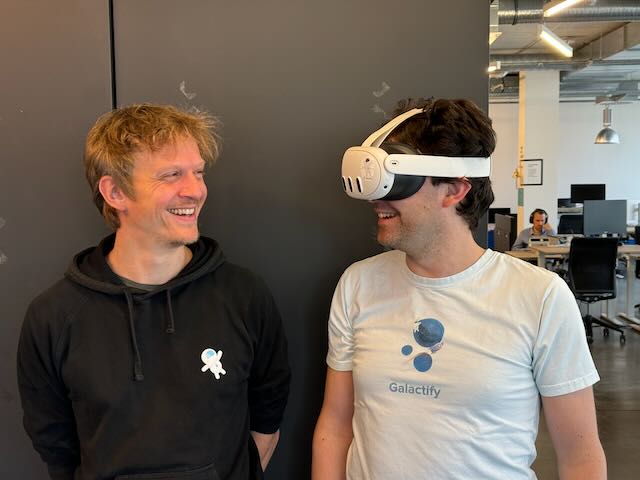
Why We’re Building a Human-Centered Computer Interface, for Both Screens and XR
Many people think we are crazy - they ask us: "Why are you building a spatial zooming interface for computers and at the same time you are experimenting with XR headsets?" Here’s the answer:
Galactify is challenging the status quo of how we work with computers.
Today’s computer interfaces are computer focused - not human focused!
This leads to lost overview and costly errors when working on complex projects and processes. And let’s be honest: If you look closely at how small to big businesses work - things always seem to be complex - and complexity kills!
But complexity is often just a construct - break it down into smaller parts, and things become clearer immediately! And that’s exactly what a human centered computer interface should help you with: Making things easier and not more complicated!
As focussing on a human centered computer interface is the “red thread” throughout what we do, let’s define what attributes do make a human <-> computer interface “human focused” (Maybe we are not so crazy at all):
Zooming as a first principle
If you have lost the overview and you want to see the big picture you take a step back - like a professor when explaining a multi-step process on a chalk board. Or experts designing new business processes landscapes, printing them out, hanging them into a room, and - taking a step back. Some called it a bird's-eye view. Take a step back and you see how things work together and understand the context. So, the first part of a human centered interaction method is giving the users the possibility to take a step back! Of course this also includes the complementary interaction of getting closer to see details and zooming into it!
- The equivalent of stepping back on a computer screen is zooming out.
- The equivalent of taking a step back when working with an XR headset is - taking a step back :)
Tangible objects
When teams are stuck and want to come up with new ideas on how to overcome the biggest challenges - they come together and do a structured brainstorming. Even in the age of computers and digital whiteboards many facilitators rely on paper cards and whiteboards. Not because they don’t want to use a computer - but because they know that people are more creative, when they write down their thoughts, stand up and bring their cards to the board and place it with their hands where it fits best. Concepts become tangible! Or as some people say “I need my hands to think!” And that is already the second attribute of a human centered interface - ideas, process steps or in more general terms your work items have to be tangible!
- The closest equivalent of tangible elements on a computer screen are whiteboard board tools or a simple “drag&drop” action. But it is just a faint idea - as using a mouse or a trackpad is more like an analogy of really touching objects than really touching them. That is actually one reason why tablets and touch screens are so popular - they make your data and information (at least) a bit more tangible.
- The equivalent of a tangible work item with an XR headset is - a spatial work item like a process step, that you can grab and move the position in your workspace where it belongs! Very straight forward - grab it like a paper card and put it where you want to! That is a “Oh, wow cool! Moment” when you do this first time. And for a reason - your data and information have transformed from a theoretical concept into tangible real elements!
Spatial workspace
The earth is not a flat - it’s a sphere. We live in a three dimensional world. For centuries knowledge and art has been part of this three dimensional world. But when it comes to working with computers we have silently accepted that screens are flat - and that all sorts of software also (except 3D engineering and design) are flat. For a long time this made sense - the technology was just not there- so better build a computer centered interface than none ;) The good news is - compute power has reached a level where we can bring the third dimension to everyday software and build a spatial workspace!
- For a computer this means you can put less important stuff further away and more important stuff closer. Or older versions further back and newer versions closer to you (a bit like Apple’s Time Machine).
- For an XR headset this means - well - you can use the physical space around you and integrate your work.
Natural language (talk & write)
- Another thing that makes humans human is the endowment of language. We use natural language to think and to communicate. Often when it comes to working with a computer we are used to having to learn how a specific software works, what shortcuts we should use to work more efficiently, what buttons to click to convince the computer to do the thing we want to achieve.
- We don’t have to learn how it works - we just talk to the computer - that’s one of the main reasons why AI with voice and chat interfaces have gained popularity so quickly - a huge amount of information was already there - humans just could not access it in an easy way. Of course there is more to explain the AI revolution - we are just looking at the interface part here!
- Natural Language Processing is the Future of Work - here we don’t see any difference between traditional computers and XR Headsets.
These attributes “Zooming as a first principle”, “Tangible objects” “Spatial workspace” and “Natural language” define a human centered interface - and different technologies help us get closer - on a classic computer and on XR headsets or AR glasses in the near future! Technology has come to a point where real spatial human computer interfaces are no science fiction, but already have gained traction in several fields like product design or training. Spatial interfaces are a foundational technology (like AI) - and their usage will broaden into further sectors to a point where it is the main computer interface.
No one knows how much time it will take - but what we know is that all businesses around the world are equipped with traditional computers, laptops, tablets and smartphones. That is why we are building a “spatial first” interface that is optimized for the browser - everyone can use it today! Some of the attributes just can’t be created on a traditional computer screen. This is also why we are working on Galactify Spatial Diagrams - an app that lets you design process diagrams in XR.
OK, still sounds a bit crazy I admit - but for us using all available technologies and shipping to as many users as possible just makes sense :)


