
Turn Documents into Business Process Diagrams with AI
Upload your documentation and let Galactify Diagrams do the heavy lifting. Our AI process mapping engine converts text, tables, pictures (actually anything) into interactive, editable business process diagrams.
Work Smarter with AI Process Mapping
Galactify Diagrams is an AI-powered process mapping tool that helps you turn unstructured documents into structured, interactive business process diagrams, without starting from scratch.
Instantly Generate Business Process Diagrams
Using our AI diagram generator, you can transform standard operating procedures (SOP), manuals, or even meeting notes into structured process maps. Galactify Diagrams is a next-generation process documentation tool that turns complexity into clarity - automatically.
Built for Scalable Process Modeling
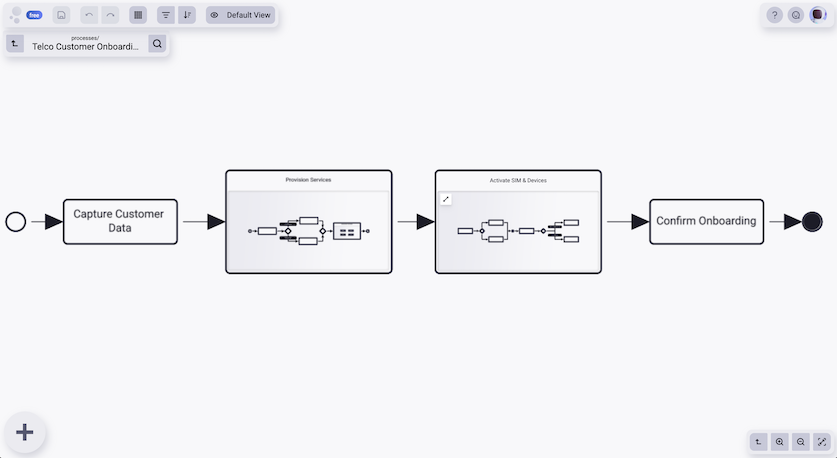
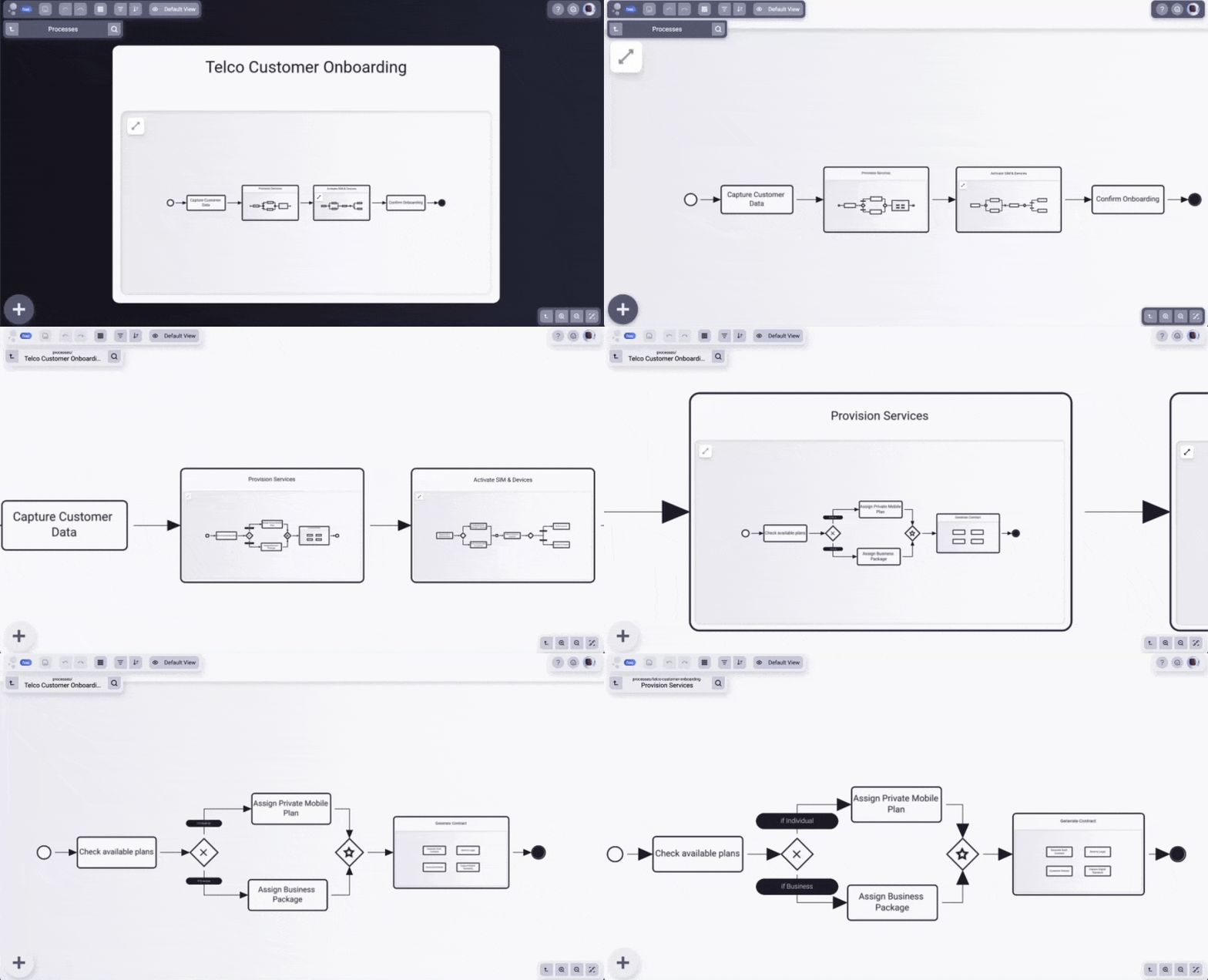
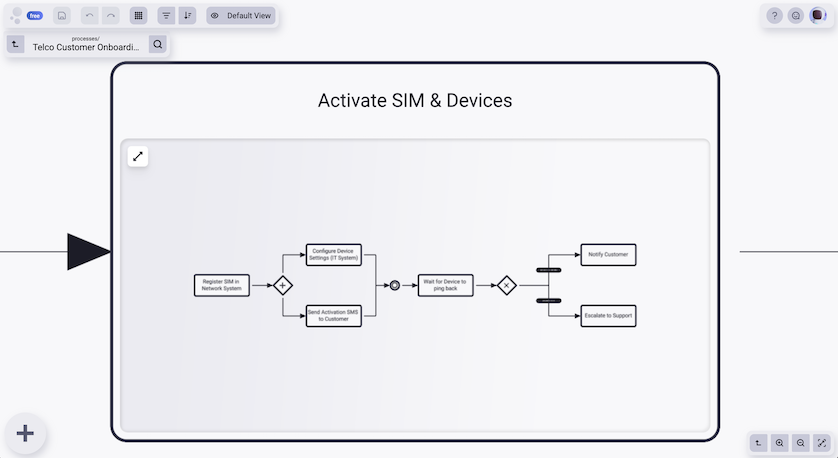
Galactify Diagrams goes beyond being a basic process mapping tool—it’s a powerful, scalable process modeling software built for growing and evolving teams. Whether you’re mapping a high-level workflow or drilling into edge cases, our patented layering system helps you keep complexity under control.
Easily toggle between main paths, exceptions, and subprocesses with filtering and sorting features designed for clarity.
Diagrams That Actually Get Used
Traditional process documentation often ends up buried in folders, unused and outdated. Galactify Diagrams flips the script by creating living, interactive diagrams that teams actively use in their daily work. Thanks to intuitive layouts, real-time updates, and easy access, our customers report up to 5× more engagement with process diagrams compared to static tools. Your processes don’t just get mapped, they get adopted.
The ROI of Visualizing Processes with AI
The Building Blocks of a Better Diagramming System

Enterprise-Grade Security
Your data is protected on an ISO 27001-certified platform — secure by design, not as an afterthought.

Smart Collaboration Meets Secure Access
Every block in a Galactify diagram supports role-based access, helping you enforce “need to know” principles while staying agile.

Navigate Your Way
Drill down into what’s critical or fly high with the project tree and search — always with previews.

Customizable to the Core
From terminology to templates, tailor Galactify to match your processes — not the other way around.

Fast & Simple Onboarding
Power users or occasional check-ins — everyone gets started fast with no extra training needed.

Individual Styles
Light or dark mode? You choose. Galactify adapts to your preferences and boosts team comfort.
Questions About AI Process Mapping?
What makes Galactify different from other process mapping tools?

Most process mapping tools require users to build diagrams manually from scratch. Galactify Diagrams changes that. Our AI process mapping engine can generate diagrams directly from your existing documentation - structured or unstructured - saving hours of repetitive work. Plus, our patented layering system helps you manage complexity without overwhelming your team, making it more than just a process mapping tool. It’s a true process modeling platform that teams actually use every day!
How does the AI workflow builder work with unstructured data?
Galactify’s AI workflow builder is designed to understand unstructured content like standard operating procedures (SOPs), meeting notes, or even plain-text instructions. Once uploaded, our AI analyzes the language, detects patterns, sequences, and roles, and turns that into a first draft of a structured business process diagram. From there, you can edit, layer, and assign roles no manual drawing needed - hurray!
What types of files can I import to create business process diagrams?
You can import a variety of file types into Galactify Diagrams, including DOCX, PDF, TXT, and Markdown. Whether it’s a formal process document or informal notes, our AI diagram generator can extract the logic and structure to create a clear, editable business process diagram.
While Galactify handles unstructured content well, the quality and consistency of the output improves significantly with better input, for example, documents that clearly outline steps, roles, or conditions. The more structured your source, the more precise and complete your generated diagram will be. But even from messy inputs, you’ll get a solid starting point you can easily refine.
Is Galactify Diagrams suitable as a process documentation tool for regulated industries?
Yes. Galactify Diagrams includes features that support compliance-heavy environments, such as role-based access control, audit-friendly versioning, and consistent structure across diagrams. It’s not just a process visualization tool—it’s a reliable process documentation tool that helps regulated teams document and share workflows securely, while maintaining clarity and traceability.
How does Galactify replace manual process mapping tools like Visio or Lucidchart and Miro?
Tools like Visio, Lucidchart and Miro are fundamentally drawing tools and excellent in what they do! You place every element, draw an arrow, and maintain every update by hand. The result is a diagram that's accurate the day it's created and increasingly wrong after that.
Galactify approaches process mapping differently in three key ways. First, Mission Control AI generates structured diagrams from your existing documents automatically — no manual placement needed. Second, every block carries integrated tagging and semantic meaning, so the model understands your process structure, not just its visual layout. Third, diagrams stay alive: real-time collaboration, dynamic views, and embedded KPIs mean your process model evolves with your work rather than sitting in a folder. The result is 75% less time spent on process documentation, and processes that teams actually use.
Can Galactify serve as a single source of truth for strategy and operations?
Yes — and this is one of the core reasons mid-market teams choose Galactify over standalone diagramming tools. Most organizations document strategy in one place (slide decks, goal trackers) and operations in another (wikis, process docs, project tools). The connection between them is invisible, which means execution drifts from intent.
Galactify lets you model strategy, processes, and execution in one connected spatial model. Leadership navigates the big picture; operations drills into the detail. Embedded process KPIs show how work is actually performing — not just how it's supposed to flow. The result is a single navigable model that bridges strategy and day-to-day work, always up to date, accessible to everyone who needs it.
How do teams stay aligned on complex cross-team processes?
The core problem with cross-team processes is that each team sees only their part. Handoffs get dropped, ownership gaps appear, and no one has a full picture. Traditional tools — spreadsheets, slide decks, static diagrams — capture a snapshot but don't stay current as work evolves.
Galactify addresses this with dynamic views and a single shared model. The same process can be rendered as a swimlane view for auditing handoffs, a hierarchical overview for leadership, or a task-focused view for individual contributors — all without rebuilding anything. Combined with role-based access and real-time updates, every team sees exactly what they need, from the same living source of truth.
How do I map business processes with multiple levels or sub-processes?
Most process mapping tools give you a single flat canvas. That works for simple workflows, but breaks down fast when your process has exceptions, sub-processes, or spans multiple teams. The typical workaround: separate diagrams for each level. This creates fragmentation and quickly goes out of date.
Galactify's patented layering system solves this directly. You can model a high-level process and drill down into sub-processes within the same model, without losing orientation. Zoom from a strategic overview to granular task-level detail and back — with filtering and sorting to keep each view clean. Mission Control AI can also generate these layered structures automatically from your existing documents, so you don't have to build them by hand.
What is visual process documentation and why do teams use it?
Visual process documentation means capturing how work flows through your organization in a format people can actually see and follow — not just read about in a text document. Instead of paragraphs describing a process, you get a structured map showing steps, decisions, actors, and hand-offs at a glance.
Teams use it because text-based documentation gets ignored. Visual documentation gets used. At Galactify, customers report up to 5× more engagement with process diagrams compared to static written documentation — because the format matches how people actually think and navigate complexity. Galactify takes this further by making diagrams interactive, layered, and always up to date.
What is process mapping and how does it work?
Process mapping is a technique for creating a visual representation of a workflow — showing who does what, in what order, and how steps connect to each other. A process map makes the invisible visible: it turns tacit, shared knowledge into a structured, navigable picture that every team member can follow.
In Galactify, process mapping goes one step further. Instead of building a flat diagram manually, you upload your existing documentation — an SOP, a meeting note, a BPMN spec — and Mission Control AI generates a structured, multi-level process map automatically. Every block carries semantic meaning, so the result isn't just a visual — it's a model your team can navigate, edit, and use as a living reference.


